
How to Buy and Trade Tokenized Stocks on Solana
As tokenized stocks gain traction, here’s a look at how they work on Solana and how traders can access, use, and benefit from them.
- Published:
- Edited:
What Are Tokenized Stocks?
Tokenized stocks are digital versions of real-world stocks that exist on a blockchain. Each token represents shares of a company like Tesla, Nvidia, or Apple, but instead of trading on a traditional stock exchange, they trade on Decentralized platforms built on blockchains. These tokens mirror the price of the real stock and are backed 1:1 by the actual shares or are structured via synthetic models, depending on the platform.
Why Tokenized Stocks?
Traditional stock markets come with restrictions: trading hours, high fees, regional barriers, and paperwork. Tokenized stocks aim to simplify and democratize access.
-
24/7 Trading: No market hours, trade anytime.
-
Global Access: No geographic restrictions.
-
Fractional Ownership: Buy small fractions of a share.
-
Lower Fees: Reduced intermediaries.
How Tokenized Stocks Work on Solana
On Solana, tokenized stocks are issued as native SPL tokens. You can buy them through DEXes like DefiTuna, Raydium, Saros, or directly via supported wallets like Phantom, Solflare, and using their built-in swap features.
These tokens mirror real stock prices through custodial feeds or synthetic models. Examples of trading pairs include:
Trading pairs can be:
- AAPLr to USDC
- TSLAr to SOL
You swap these tokens much like you would swap any other token on Solana.
Step-by-Step Guide to Buying
1. Set Up a Wallet
Download a Solana-compatible wallet such as Phantom, Solflare, or Step wallet.
2. Fund Your Wallet
Add USDC or SOL to your wallet. Keep a small amount for transaction fees.
3. Access a Platform
Visit Jupiter, DeFiTuna, Raydium, Saros app, or use your wallet’s native swap interface.
4. Connect and Choose a Token
Connect your wallet and select the tokenized stock you want to buy.
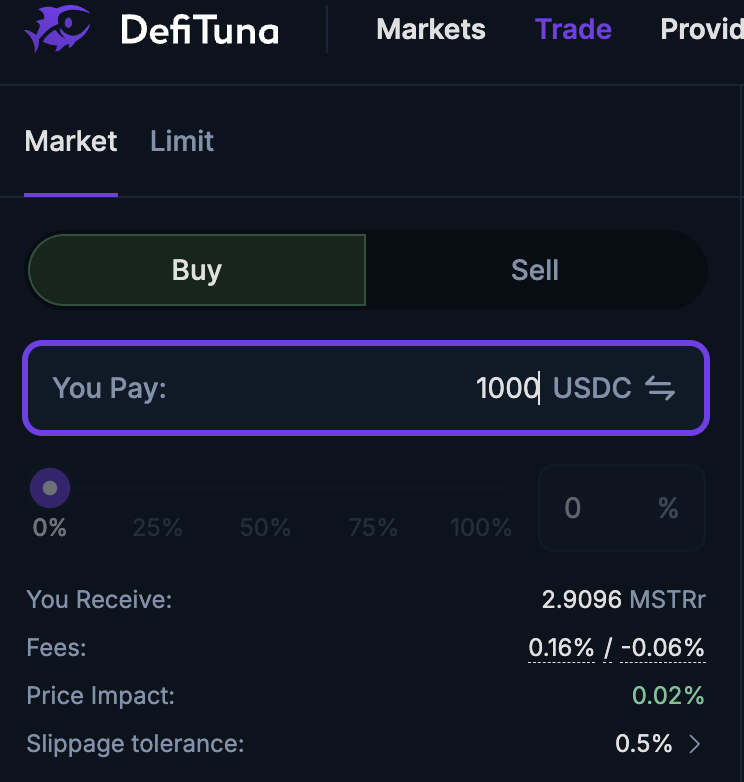
5. Confirm the Swap
Select the trading pair, enter the amount, review the slippage and fees, and then confirm. The stock token will appear in your wallet balance after approval.
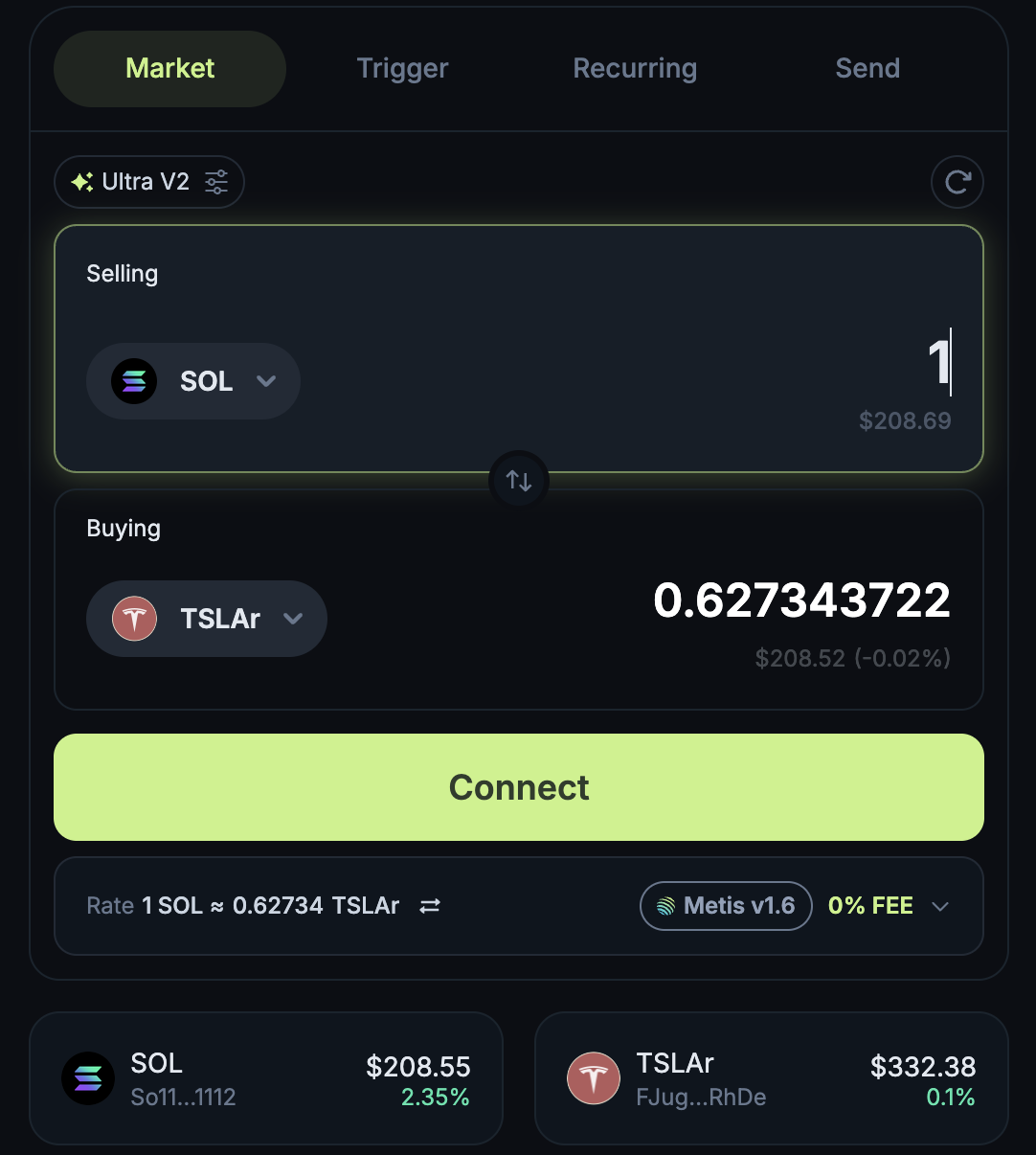
DeFi Integration
Solana-native tokenized stocks go beyond simple holding. They can be used across DeFi protocols.
• Liquidity Provision
Deposit TSLAr or AAPLr into DeFiTuna or Raydium pools and earn trading fees.
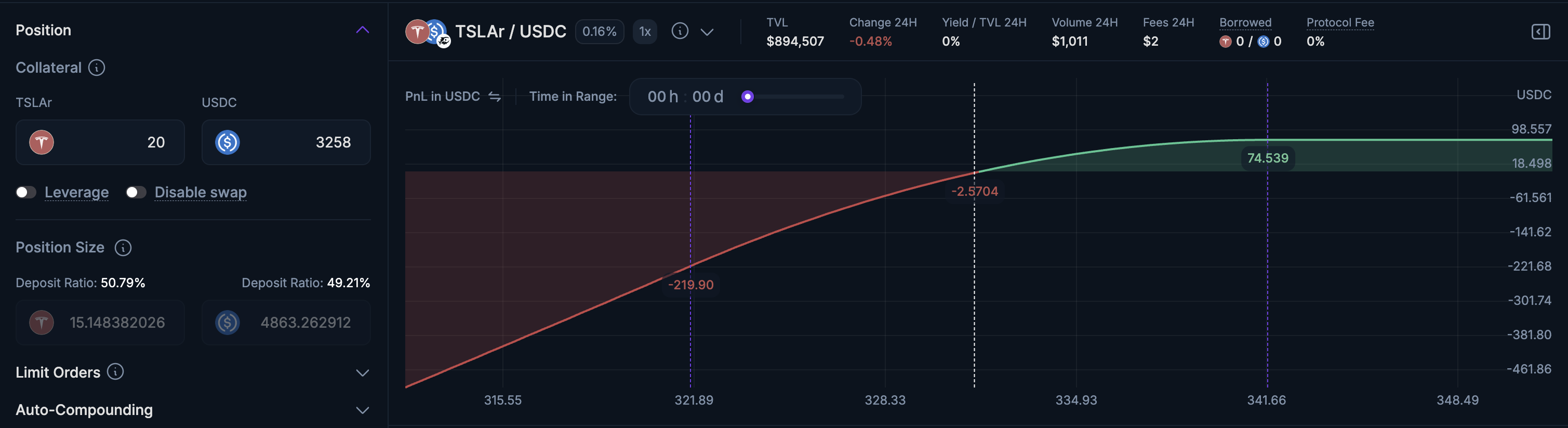
These use cases are not possible with traditional stock ownership and represent a new way to make financial assets work in onchain strategies.
Arbitraging Tokenized Stocks on Solana
Flash Trade has introduced permissionless arbitrage for tokenized stocks through a collaboration with Remora Markets.
Flash Trade’s redemption pool allows Remora rStocks to be traded directly at live NASDAQ prices, unlocking onchain arbitrage against TradFi markets. Because traditional equities trade only during market hours, while tokenized stocks trade 24/7 on Solana, price gaps can emerge, creating clear arbitrage opportunities.
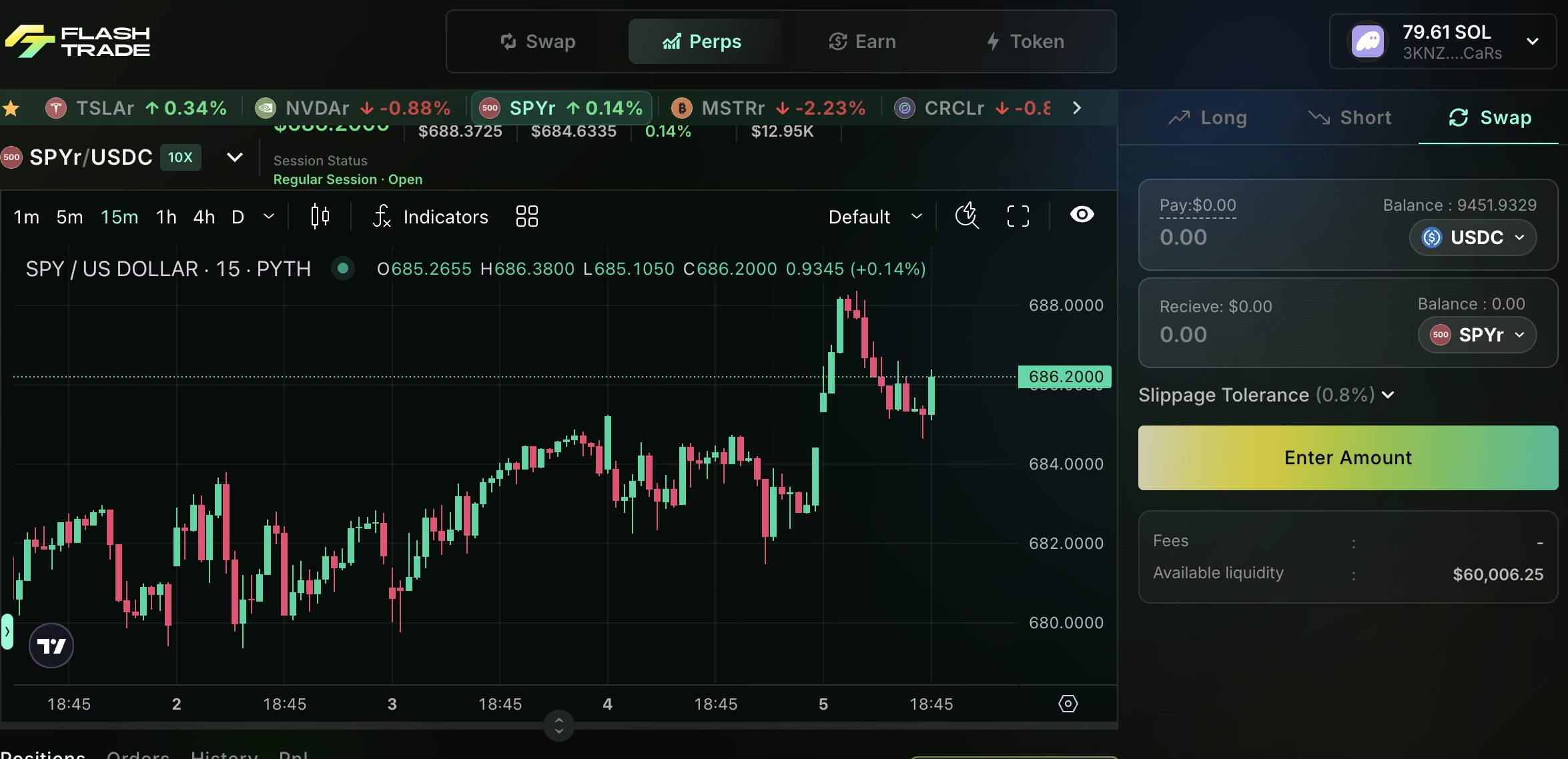
Step-by-Step Arbitrage Flow
- Check for Price Discrepancy
Compare rStock prices on Solana DEXs with their live NASDAQ price. - If rStocks Trade at a Discount Onchain
Buy the rStock on a DEX aggregator such as Jupiter or Titan, then redeem it through Flash Trade at the NASDAQ price to exit the position. - If rStocks Trade at a Premium Onchain
Buy the rStock directly from Flash Trade at the NASDAQ price, then sell it on Solana DEXs at the higher onchain price. - Settle Profit After Fees
Complete the trade by accounting for fees, slippage, and transaction costs.
Pricing is enforced using Pyth, removing reliance on issuers to manually rebalance prices. At launch, the pool supports TSLAr, SPYr, NVDAe, CRCLr, and MSTRr. The redemption pool operates on a 24/5 cycle and is closed on weekends and U.S. bank holidays. This mechanism allows Solana DeFi users to efficiently arbitrage tokenized stocks while keeping prices aligned with traditional equity markets.
Perpetual Leverage Trading for Tokenized Stocks on Solana
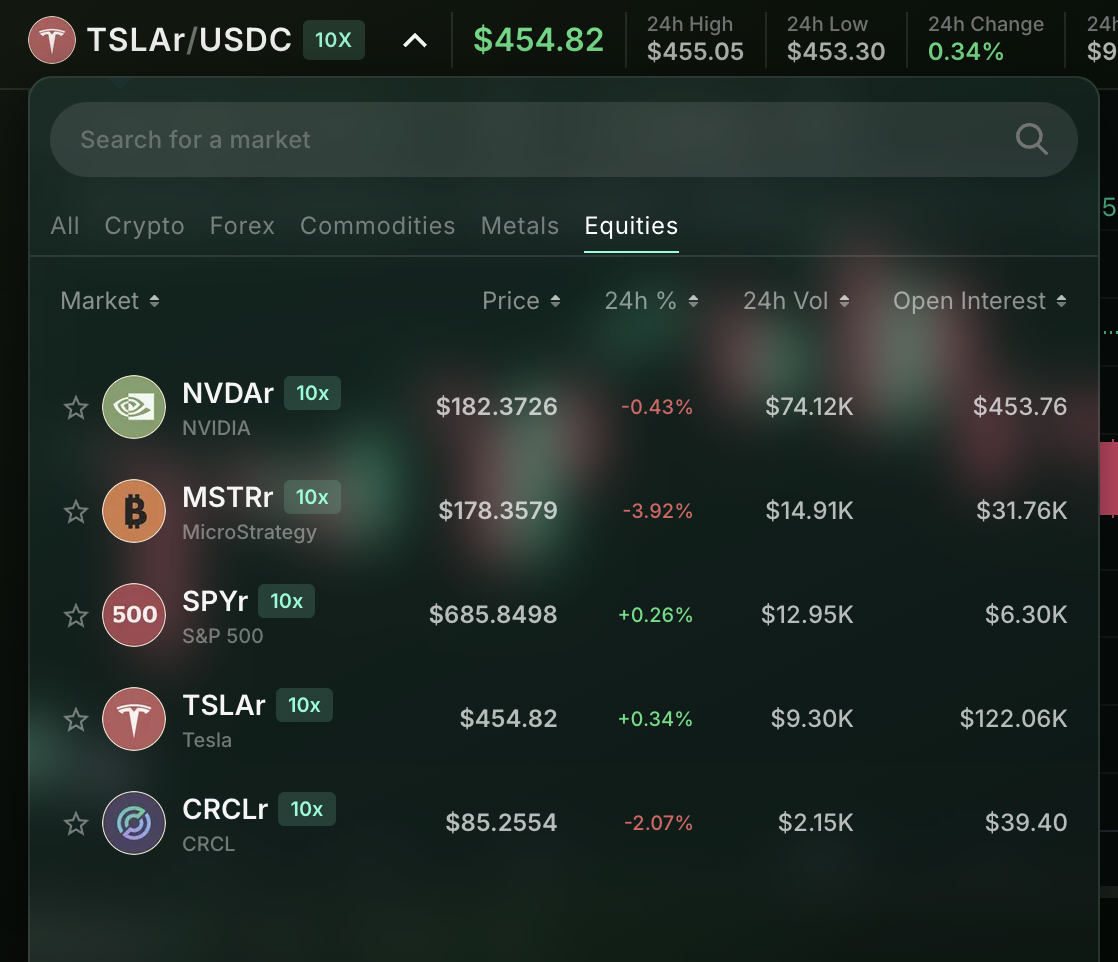
Perpetual Leveraged trading allows users with a higher risk appetite to gain amplified exposure to Remora Markets' rStocks without holding the underlying tokens. Traders can open long or short positions on perpetual pairs such as TSLAr, NVDAr, and CRCLr using onchain oracle pricing.
Currently, leveraged perpetual trading for tokenized stocks on Solana is available only on Flash Trade, where Remora’s rStocks serve as the underlying markets for the perpetual pairs.
Why Use Leverage?
Leverage provides capital-efficient exposure and enables trading in either direction, but it comes with liquidation risk and heightened sensitivity to volatility.
Step-by-Step Flow
1. Assess Market Direction
Decide whether you expect the rStock’s price to move higher or lower.
2. Select an rStock Perpetual Pair on Flash Trade
Choose a supported market such as TSLAr, NVDAr, or CRCLr.
3. Choose Long or Short and Set Leverage
Go long if expecting the price to rise, or short if expecting a decline.
Select your preferred leverage level (up to 10x).
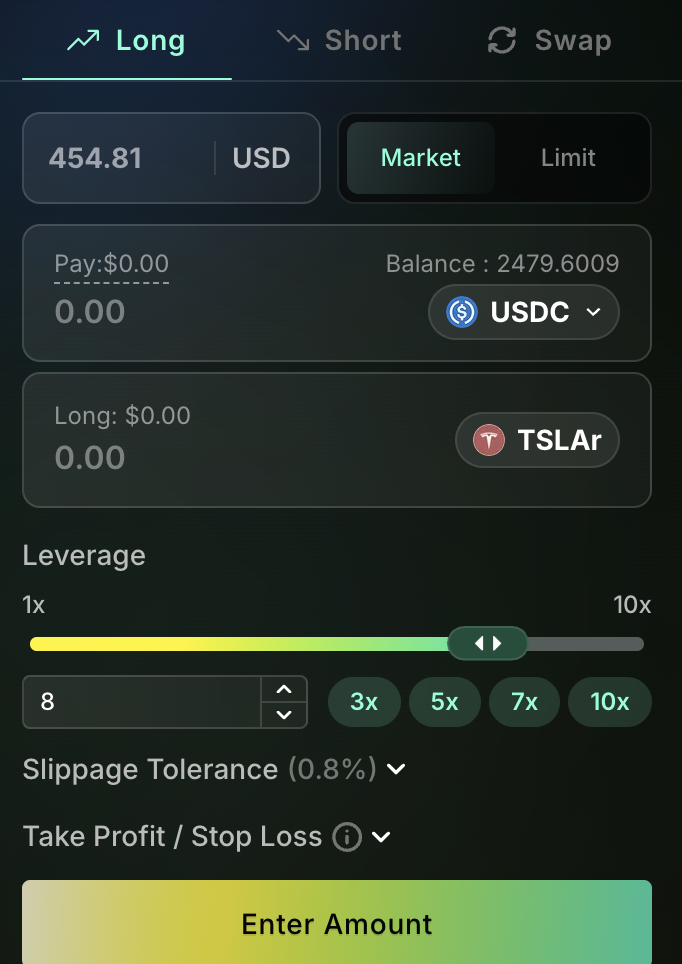
4. Open the Position Directly From Your Wallet
Confirm the trade using your wallet balance.
This creates an active leveraged position tied to the rStock.

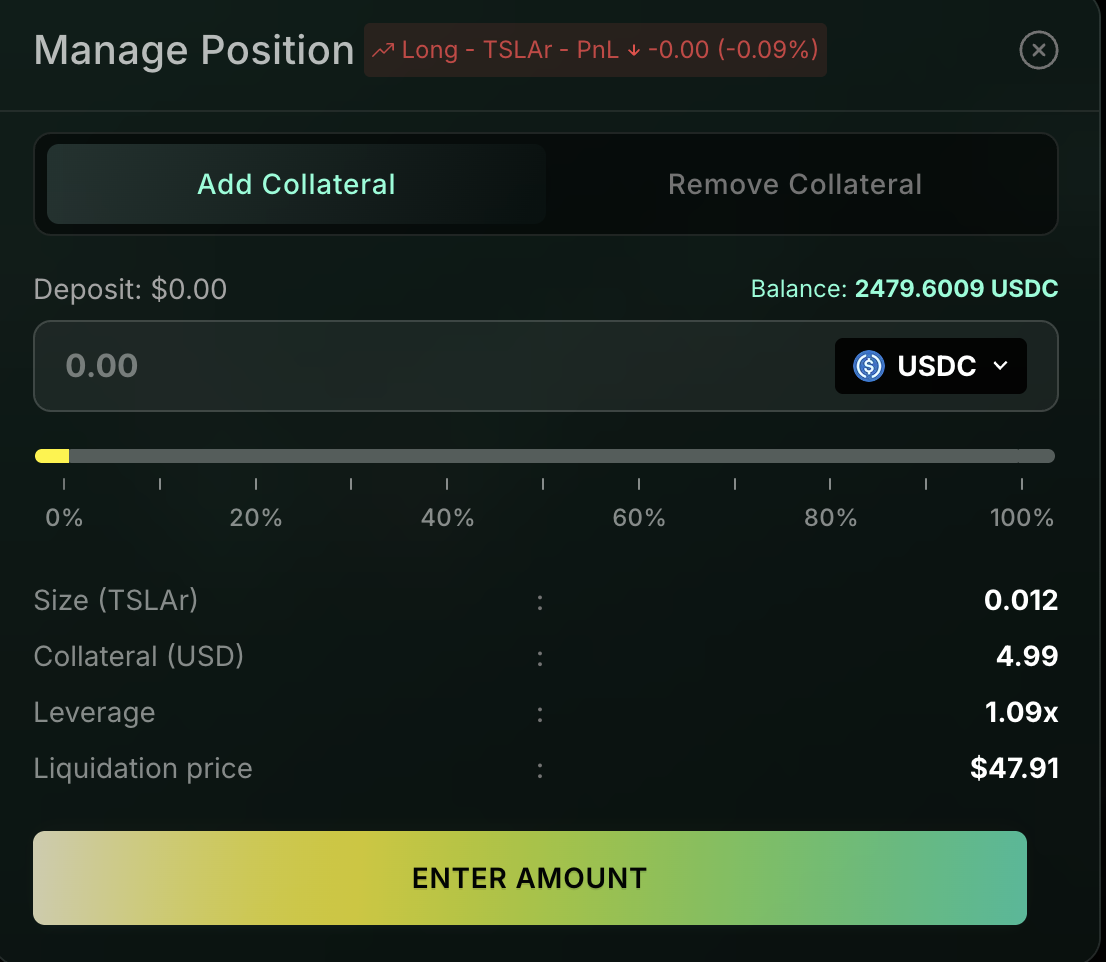
5. Add Collateral or Adjust the Position
After opening the position, you can add collateral to increase the safety margin or close/modify the trade at any time.
Key Considerations
Leverage enables amplified directional exposure without holding the underlying rStock, but positions may be liquidated if price moves against you. Traders should understand leverage mechanics, funding, and volatility before entering positions.
Disclaimer: Remora Markets and SolanaFloor are owned and operated by Step Finance
Read More on SolanaFloor
Remora Markets Ignites Competition in Solana RWA Market with rStocks Launch